
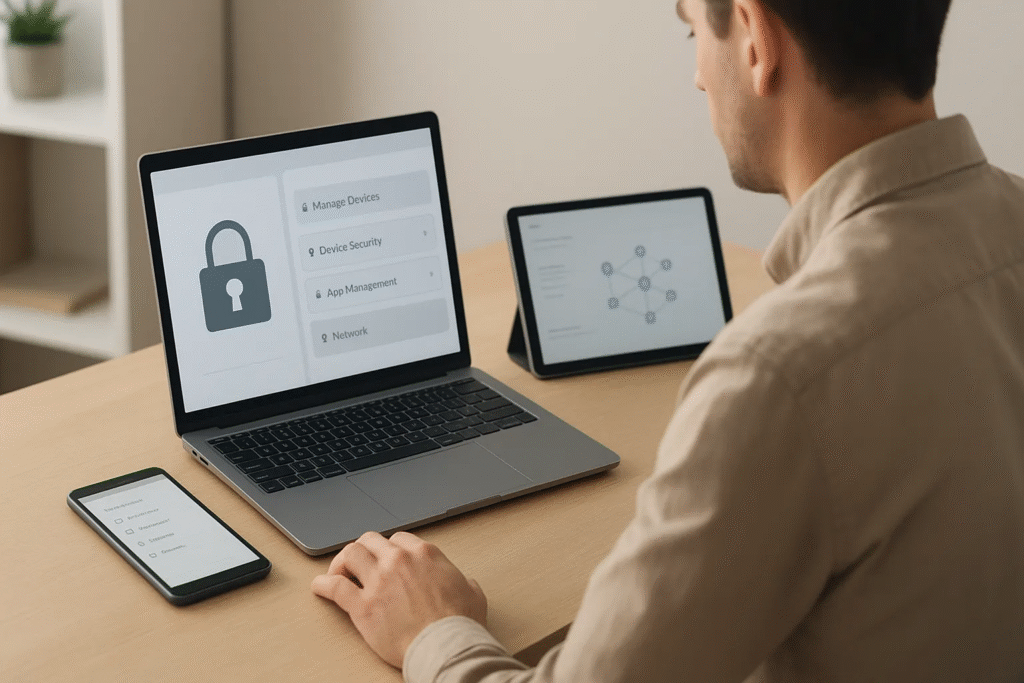
Small businesses are experiencing a rapid shift toward mobile operations with smartphones, tablets, and laptops becoming essential tools for daily work. While this flexibility boosts productivity it also introduces significant security challenges. Without clear oversight unsecured devices can become entry points for data breaches, unauthorized access, or compliance violations.
A strong mobile device strategy is no longer optional. It’s fundamental to protecting customer information, intellectual property, and business continuity. This guide explains the challenges SMBs face, the features every MDM solution should include, and how small businesses can build a secure, scalable mobile environment.
Why SMBs Struggle With Device Security Today
Small businesses often assume they’re too small to be targeted but cyberattacks increasingly focus on organizations with limited IT resources. Many of the risks come from daily workflows that seem harmless on the surface.
Employees using personal devices
With hybrid work on the rise employees often use their own smartphones or laptops for work tasks. While this improves convenience it also blends personal and professional data in a way that makes security hard to enforce. Personal devices may lack the required encryption, firewall protection, or security patches leaving corporate data exposed.
Public Wi-Fi and insecure access points
Remote workers frequently connect through coffee shops, airports, or home networks without strong protections. These networks can be vulnerable to eavesdropping, man in the middle attacks, and unauthorized monitoring. Sensitive information like passwords, emails, or financial data can be intercepted without the user realizing it.
Lack of centralized enforcement
Many small businesses rely on manual security practices or informal IT policies. Without a unified system to enforce settings, apply updates, or restrict access employees may unintentionally create vulnerabilities. Managing devices one at a time becomes difficult and risky as the business grows.
Essential Features Every MDM Solution Must Include
Not all MDM tools are created equal. For small businesses the ideal platform balances security, usability, and cost effectiveness. The following features are essential for maintaining a secure mobile environment.
Encryption, password enforcement
A strong MDM solution ensures that every managed device has encryption enabled and secure authentication methods in place. This includes password strength requirements, biometric authentication, and automatic lock settings. Encryption protects sensitive files even if the device is lost or stolen.
Remote wipe & location tracking
One of the biggest vulnerabilities for SMBs is physical device loss. Remote wipe capabilities allow IT teams to erase corporate data instantly if a device goes missing. Location tracking helps identify lost equipment or verify whether a device is being used in an unexpected area.
Controlled app installation
Unauthorized or malicious apps pose a hidden threat. MDM tools allow administrators to approve or block apps, create lists of required applications, and enforce company wide installation standards. This protects employees from risky downloads and maintains a controlled software ecosystem.
Understanding Mobile Device Management
Modern businesses need strong oversight over the devices that access company systems. Implementing mobile device management provides the structure, security, and centralized visibility required to protect data across an expanding mobile workforce.
Definition
MDM is a technology framework that allows IT teams to monitor, configure, secure, and manage mobile devices including smartphones, tablets, and laptops from a single centralized dashboard. It standardizes policies and ensures that every device follows the same security protocols.
Benefits for SMB environments
Small businesses benefit from MDM because it reduces the burden on internal IT teams while improving productivity. Employees enjoy smoother access to corporate tools and administrators gain automated enforcement of critical security standards.
How MDM reduces security incidents
- It ensures consistent updates across all devices.
- It limits access to sensitive apps and data.
- It protects against data loss with remote wipe and backup features.
- It reduces exposure to malware and unsafe applications.
These improvements dramatically lower the risk of breaches or compliance failures, two costly issues that small businesses can’t afford to ignore.
Supporting SMBs With Proactive IT Solutions
Even with strong device management in place small businesses still need ongoing support to maintain uptime and handle daily technical needs. Proactive IT solutions bridge the gap between limited internal resources and the growing complexity of modern systems.
The role of managed IT
A managed IT provider acts as an extension of the business offering strategic guidance, support for endpoint issues, and long term planning for infrastructure and cybersecurity. This helps SMBs compete with larger companies without hiring a full in-house IT team.
Monitoring, ticketing, onboarding
Proactive services typically include:
- Continuous system and device monitoring
- Fast ticket resolution for employee issues
- Smooth onboarding/offboarding workflows
- Regular updates, backups, and patching
- Documentation and reporting
These services enhance the value of your MDM strategy and create a more resilient IT environment.
Why SMBs Need Round the Clock Support
Technical problems don’t always occur during business hours and downtime can be expensive even for small teams. Access to 24 / 7 IT support ensures that help is available whenever an issue arises, not just during office hours.
Preventing after hours downtime
A system failure at night or on a weekend can disrupt the next workday delaying projects and reducing productivity. Around the clock IT access prevents small problems from snowballing into major operational disruptions.
How to Implement MDM Step by Step
Small businesses don’t need a complex setup to benefit from MDM. A structured rollout ensures consistency and minimizes administrative overhead.
Device enrollment
Start by enrolling all company owned and personal devices that access business tools. Automated enrollment reduces manual work and ensures no device is overlooked.
Policy design
Policies define the rules for device usage, password strength, app access, security updates, and data protection. Policies should be tailored to your industry and regulatory requirements.
Compliance checks
Regular compliance reviews verify that every device follows the established rules. Automated alerts notify administrators of outdated software, disabled security features, or suspicious activity.
Final Recommendations for SMB Security
Mobile security is an ongoing process. To maintain a safe environment small businesses should adopt long term security habits.
Review policy annually
Technology and threats evolve rapidly. Reviewing and updating MDM and security policies annually ensures they remain relevant and effective.
Educate staff
Employees play a critical role in safeguarding company data. Regular training helps them recognize phishing attempts, protect passwords, and follow best practices.
Use centralized dashboards
Centralized management reduces complexity and improves visibility across all devices. Dashboards provide real time insights making it easier to spot issues before they escalate.
A well implemented MDM solution empowers small businesses to strengthen security, streamline operations, and protect valuable data across their mobile workforce. With proactive IT support and the right tools SMBs can operate confidently in a mobile first world.


More Stories
Future Horizons: The Next Big Leap in Mobile Trends
Pioneering Tomorrow: How 5G is Reshaping Innovation Across Industries
Unleashing the Power of 5G: A New Era of Connectivity and Innovation